FactBox
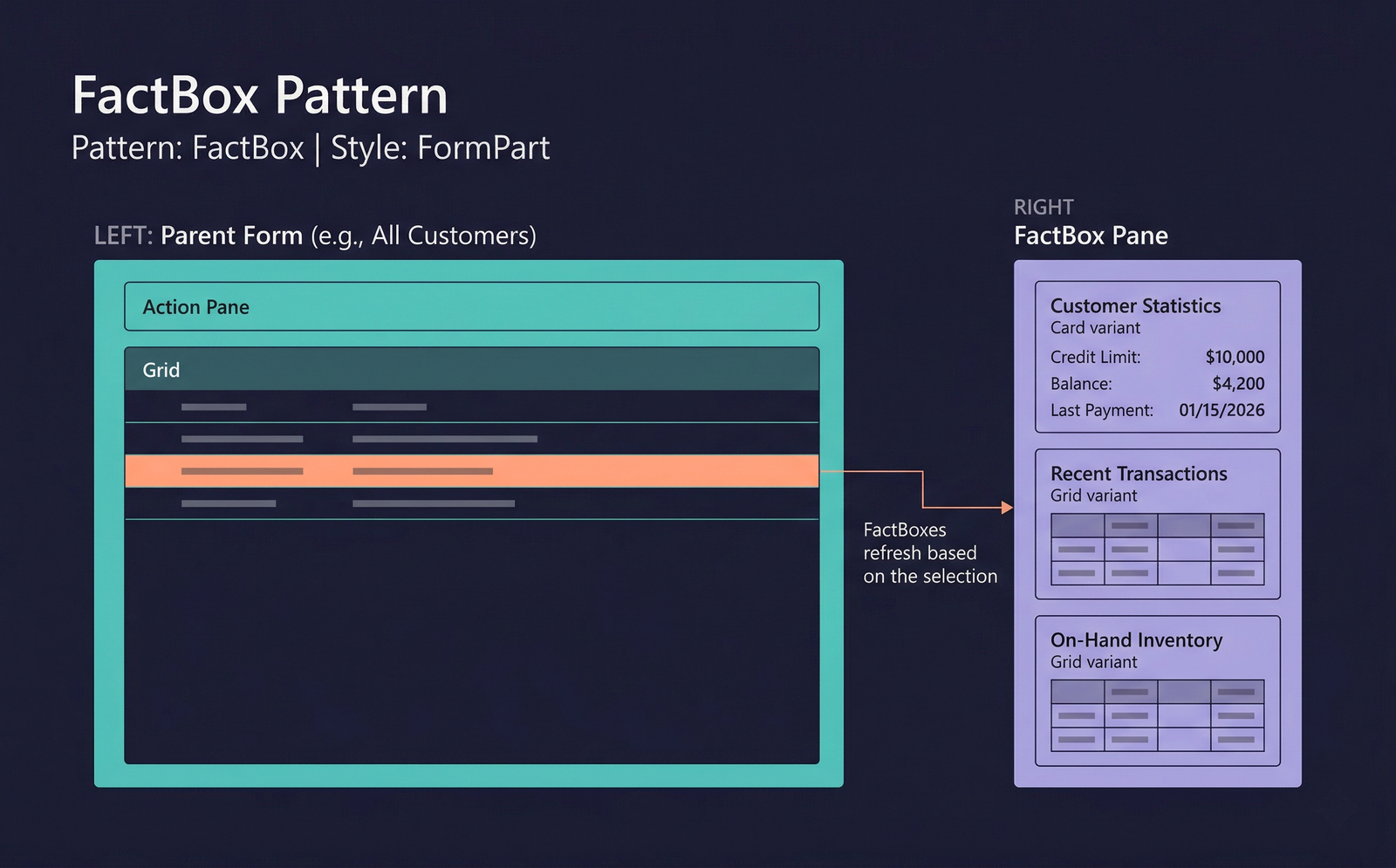
The FactBox pattern (form style FormPart) creates a read-only informational panel that displays alongside a parent form. FactBoxes appear in the FactBox pane on the right side of the screen and automatically refresh as the user navigates between records on the parent form.
FactBoxes provide contextual, at-a-glance information without the user needing to open a separate form.
When to Use
- The information is read-only and supplementary — it does not require editing.
- The data is contextual to the record currently selected on the parent form.
- The content fits in a compact vertical panel (the FactBox pane is narrow).
- Common use cases: showing credit limits for a customer, inventory on-hand for an item, related document counts, or address information.
Variations
FactBox — Card
Displays a set of labelled value pairs in a card-style layout. The most common FactBox variant. Each row shows a label and a value drawn from the related data source.
FactBox — Grid
Displays a compact grid of related records. Used when the FactBox shows a list of line items, related transactions, or associated records.
FactBox — Chart
Displays a small chart (bar, line, pie) visualising a metric related to the selected record. Less common but available in workspaces and some master-data forms.
Key Components
| Component | Control Type | Required | Description |
|---|---|---|---|
| Content Group | AxFormGroupControl | Yes | The container for the FactBox content — fields, grid, or chart. |
| Fields | Various input controls (read-only) | Card variant | Labelled value pairs showing summary information. |
| Grid | AxFormGridControl | Grid variant | A compact read-only grid of related records. |
| Chart | Chart control | Chart variant | A small chart control. |
How FactBoxes Attach to a Parent Form
FactBoxes are configured on the parent form through the FormPart controls. The parent form's design includes references to FactBox forms, and the framework manages the FactBox pane layout. The FactBox form's data source is linked to the parent form's current record via DataRelationPath or explicit query parameters.
Example Forms in D365 F&O
| FactBox Form | Parent Form | Description |
|---|---|---|
CustStatisticsStatistics | CustTable (All customers) | Customer statistics card: credit limit, balance, aging, last payment date. |
VendStatisticsStatistics | VendTable (All vendors) | Vendor statistics: outstanding invoices, last payment, total purchases. |
InventOnhandQuantity | InventTable (Released products) | On-hand inventory quantities by site and warehouse. A grid-style FactBox. |
SalesOrderHeaderRelatedOrders | SalesTable (Sales orders) | Related orders FactBox showing linked return orders, intercompany orders, etc. |
CustRecentTransactions | CustTable | A grid FactBox listing the customer's most recent transactions. |
Infographic Placeholder