Table of Contents
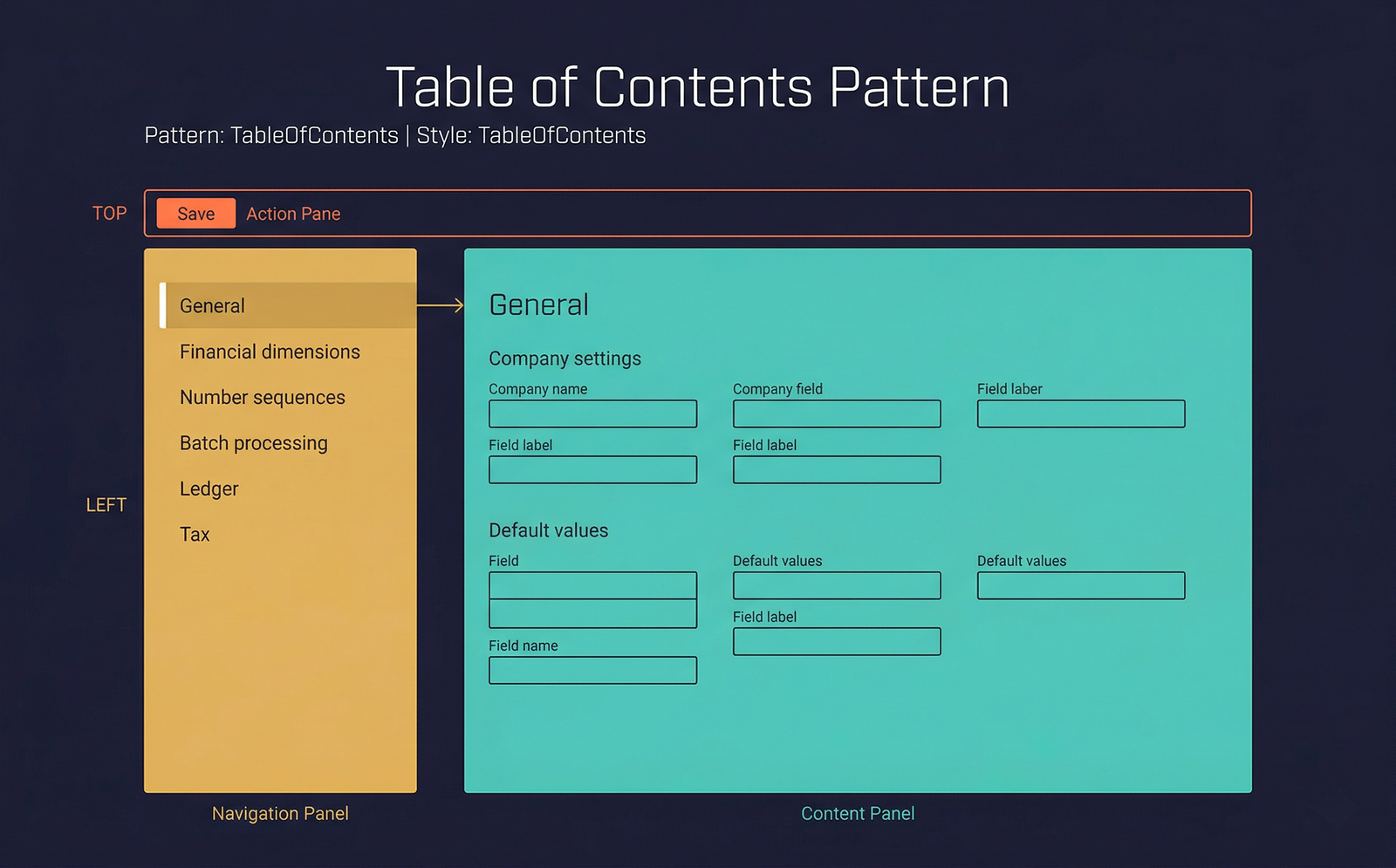
The Table of Contents pattern provides a tree-navigation form where a hierarchical list of categories appears on the left and the fields for the selected category appear on the right. This pattern is the standard layout for parameter and configuration pages where settings are organised into logical groups.
When to Use
- The form manages system or module parameters organised into many distinct categories.
- The number of categories is large enough that a single form with FastTabs would be unwieldy (typically 8+ categories).
- Users typically visit one category at a time to change a few settings — they do not need to see all categories simultaneously.
- A tree or list of links on the left side lets users jump directly to the category they need.
Variations
Table of Contents (Standard)
The standard variant with a tree view or link list on the left and the content pane on the right. The content pane displays fields and field groups for the selected category.
Table of Contents with FastTabs
The content pane on the right uses FastTabs to further subdivide a single category's settings into collapsible sections. Used when individual categories have a large number of settings.
Table of Contents with Standard Tabs
The content pane uses standard visual tabs to separate a category's content into distinct pages.
Key Components
| Component | Control Type | Required | Description |
|---|---|---|---|
| Action Pane | AxFormActionPaneControl | Yes | Minimal action pane — typically Save and optional Restore Defaults buttons. |
| Navigation Panel | AxFormTabControl (rendered as vertical tabs or a link list) | Yes | The left-side panel listing all parameter categories. Each tab page represents one category. |
| Content Panel | AxFormGroupControl or AxFormTabControl | Yes | The right-side area displaying the fields for the currently selected category. |
Example Forms in D365 F&O
| Form | Menu Item | Description |
|---|---|---|
SysSystemSetup | System administration → Setup → System parameters | System-level parameters. The navigation panel lists categories like General, Help, User interface, and Batch. |
UserSetup | System administration → Users → User options | Per-user preferences. Navigation categories include Visual, Preferences, Account, and Workflow. |
WHSParameters | Warehouse management → Setup → Warehouse management parameters | Warehouse parameters with categories for General, Loads, Waves, Work, Mobile device, and more. |
ProjParameters | Project management → Setup → Project management and accounting parameters | Project module parameters. A rich set of categories covering journals, hour, expense, revenue recognition, and intercompany settings. |
Infographic Placeholder